Team Pulse
When you drop, your team hears it in a second.
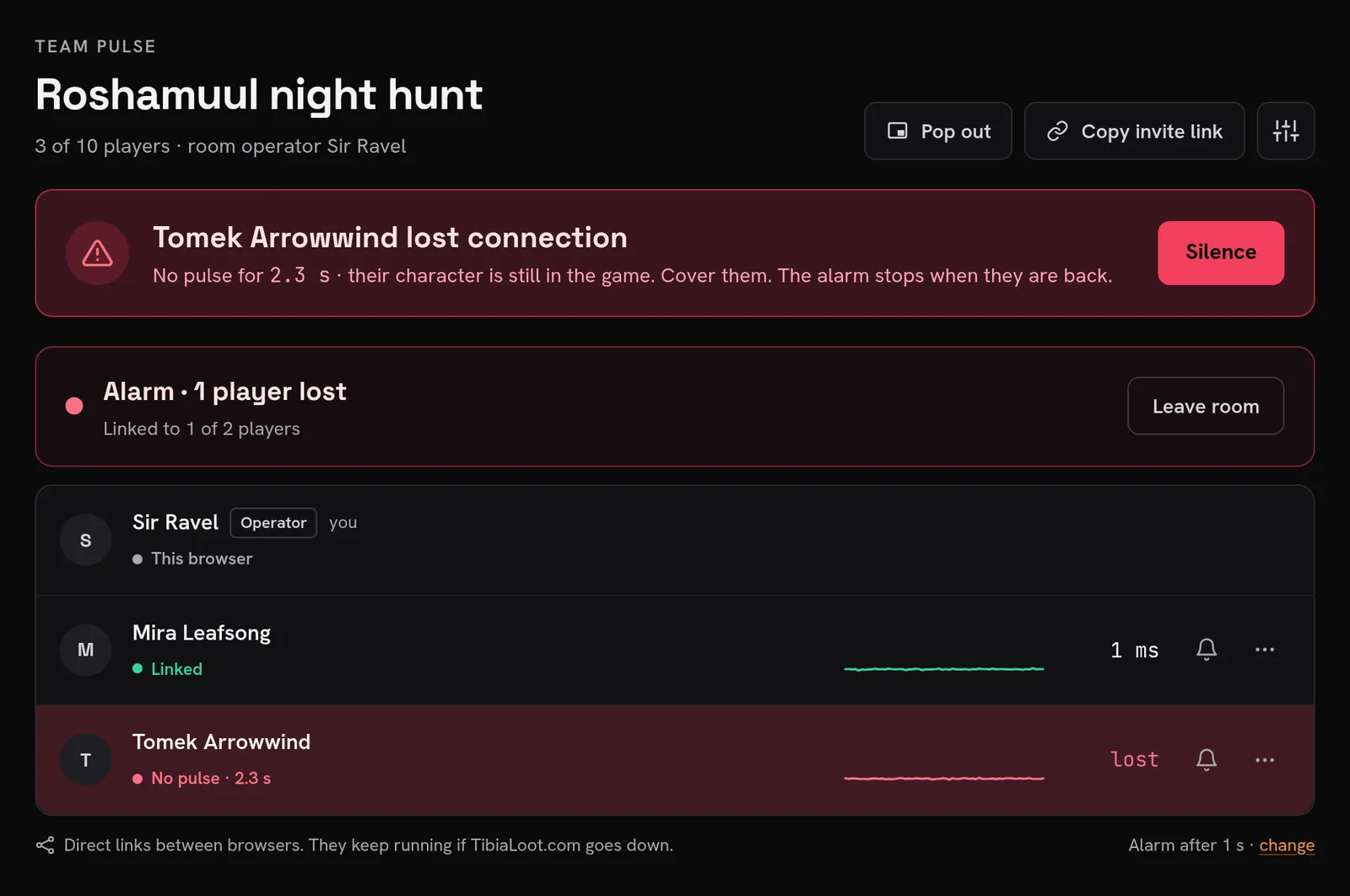
Your connection drops, but your character stays in the game. Team Pulse sounds an alarm for the rest of your team and reads your name aloud, so they cover your character until you are back.
Free. Nothing to install. It runs in a browser tab.
1 s
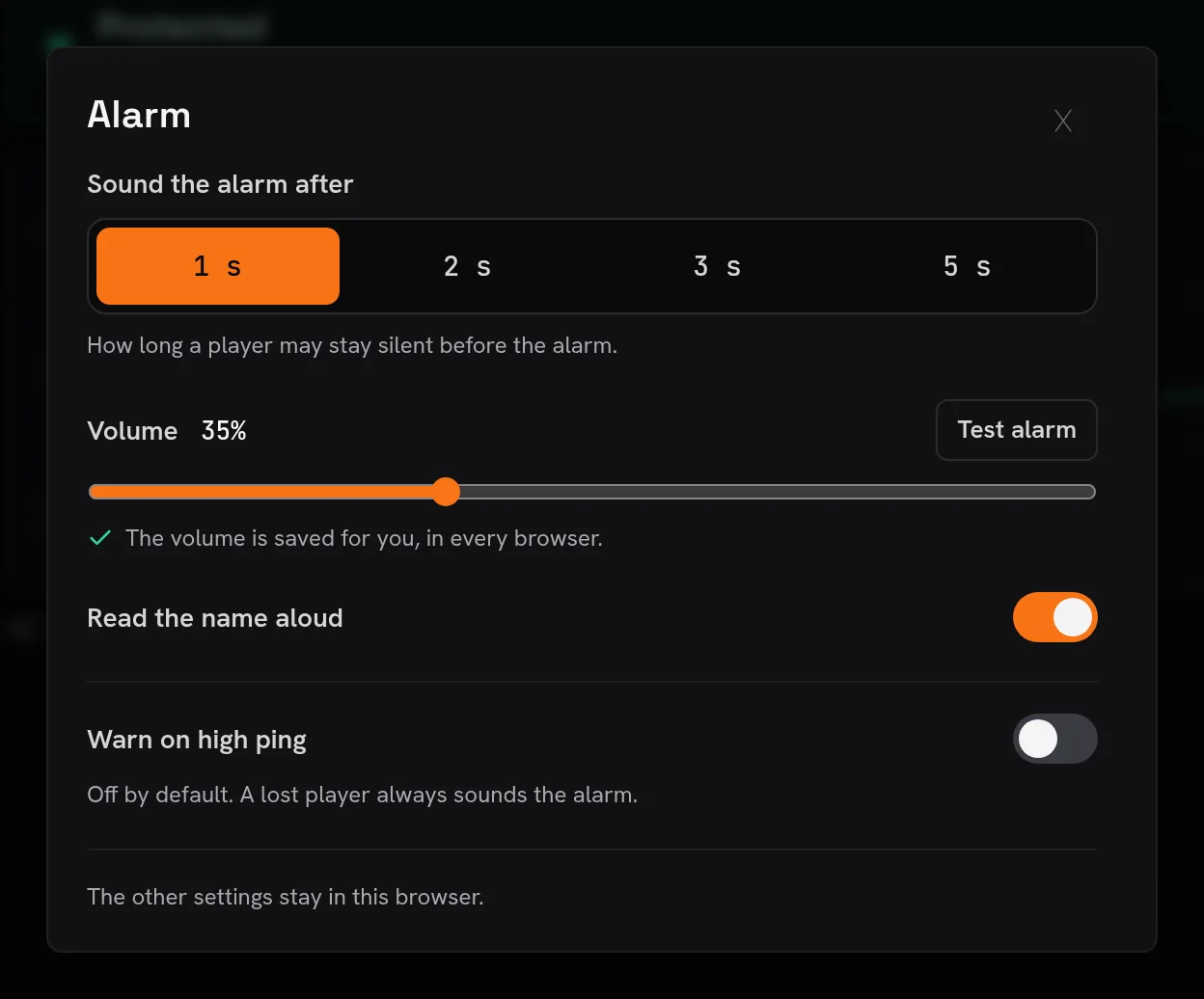
without a pulse sounds the alarm, by default
10
players in one room
Direct
links between browsers, not through TibiaLoot.com
0
things to install
How it works
Four clicks before the hunt
Create a room
Name it after the hunt. You get an invite link.
Share the link
Post it in your team chat. One click on it joins the room.
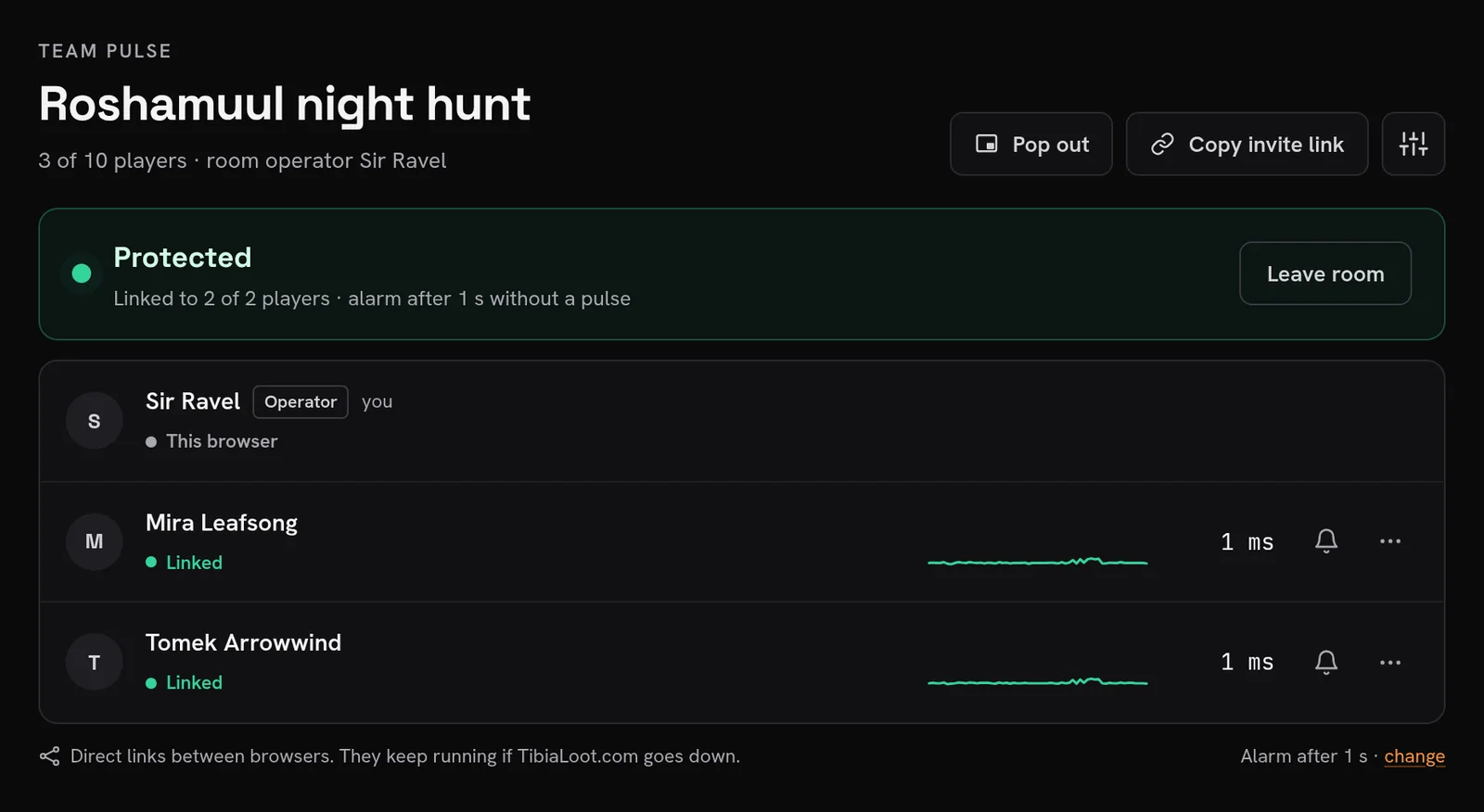
Everyone clicks Protect me
Keep the tab open while you hunt. It works in the background.
Cover who dropped
The others hear an alarm and the name, read aloud. They cover the character until the player is back.
In a real room
What your team sees
Built for a hunt
Loud when it matters, quiet when it does not
The name, read aloud
You hear who dropped without looking away from the game.
Works in a background tab
The game window stays in front. The tab keeps checking every 250 ms.
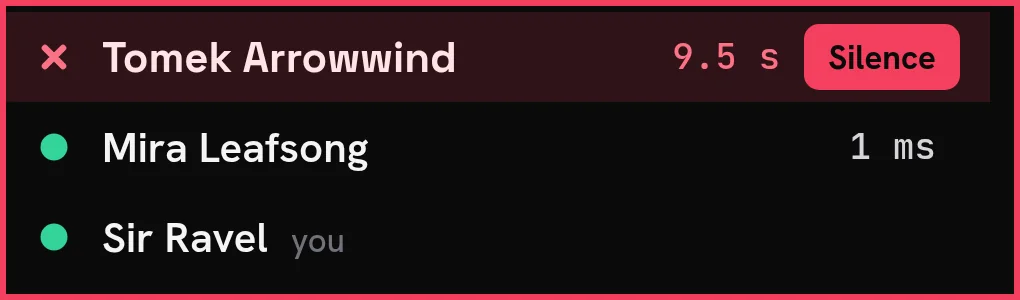
Pop-out, always on top
A small window with every player, over the game client.
Keeps running if this site goes down
Each browser checks every other one directly. The alarm works without TibiaLoot.com.
Knows your own drop
If your own connection drops, you get one “Your connection dropped”, not every name.
Mute a player
A player who goes AFK on purpose does not sound your alarm.
Good to know
- Keep the room tab open. A closed tab tells the room you left, and no alarm sounds for you.
- Some networks block direct links. That player shows “No direct link · not protected”, never a silent gap.
- The browser plays sound only after one click on the page.
- You need a Discord account to log in. The alarm reads your Discord display name.
Protect your next hunt
Log in, create a room and send the link to your team.